


Launcher iOS 26
4.72.36K Reviews
App Specs
- Version
- 8.8.1
- Updated On
- License
- Free
- Downloads
- 10,000,000+
- Developer
- LuuTinh Developer
- Categories
- Personalization
- Platform
- Android, iOS
Screenshots
 Analysis by AppCompare
I treat a launcher as the front door to a phone: it shapes what I see when I unlock the screen, how quickly I reach an app, and whether the layout feels like mine. Launcher iOS 26 is for Android users who want that front door to look and behave more like an iPhone’s. It is a personalization app from LuuTinh Developer, and its appeal is clearest if you want to try an iOS-inspired home screen without replacing your Android phone.
Start with the phone you already have
The useful question is not whether this turns Android into iOS in every respect; it does not. A launcher changes the home-screen experience, while the phone underneath remains Android. Your existing apps and Android features still matter, and the result is best understood as a visual and navigational makeover rather than a full operating-system conversion.
That distinction makes it easier to decide whether to try it. If you enjoy arranging your Android home screen but want a cleaner, more iPhone-like presentation, this gives you a low-commitment way to explore that style. If you need Apple’s services, device integration, or the exact behavior of an iPhone, changing launchers will not provide those things.
From setup to everyday use
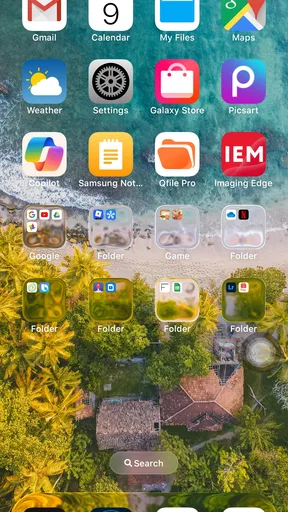
When you first install Launcher iOS 26, the app immediately transports your Android device into a world that feels very much like an iPhone. The layout, the icons, even the settings menu have that familiar iOS vibe. If you're an Android user who's always been curious about iOS, this could be your chance to explore without switching phones.
Installation and Setup: Quick and Easy
Installing the app is a breeze. Just head over to your app store, download, and you're good to go. The setup process is straightforward, guiding you through a few simple steps to customize the launcher to your liking. You can choose your wallpaper, adjust icon size, and decide which apps should appear on your home screen. It’s all very intuitive, even for those who aren’t tech-savvy.
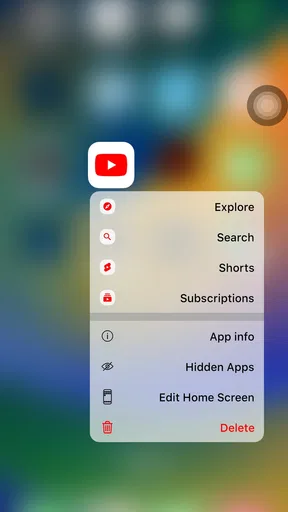
One thing I particularly liked was the ability to hide apps. You know, those pre-installed apps you never use but can't delete? Now you can just hide them away, out of sight, out of mind.
Plan the layout around your routine
I get the most from this kind of home-screen change by making a few deliberate choices before filling every available space. I put the apps I reach for most often where my thumb naturally lands, keep less-used tools out of the way, and choose a wallpaper that leaves the icons easy to scan. The point is not to imitate an iPhone down to every detail; it is to make the new look useful rather than merely decorative.
Worth Reading Before You Choose

Flipboard Shows What News Apps Must Do Beyond the Feed

Switching to Android Auto Means Rethinking Your Driving Routine

Google Calendar Makes a Crowded Week Easier to Manage

Ludo King Makes the Most of the Minutes Between Plans

Baby Panda World Brings Quick Play to Modern Phones, but Its Game Library Feels Busy

ESPN’s Live Game View Makes Following Close Games Easier
Hiding an app is especially handy when the phone came with software I rarely open but I still want to keep installed. It reduces visual clutter without confusing “out of sight” with “uninstalled.” I would still keep essential apps visible or easy to locate, since a tidy first screen is only helpful if it does not slow down the things I do every day.
User Interface: Clean and Elegant
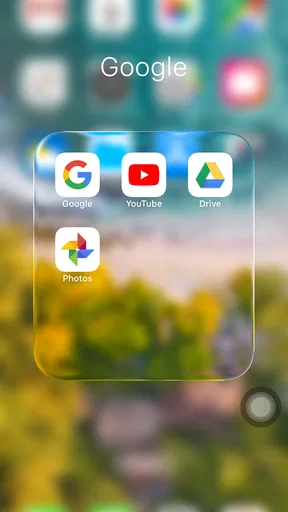
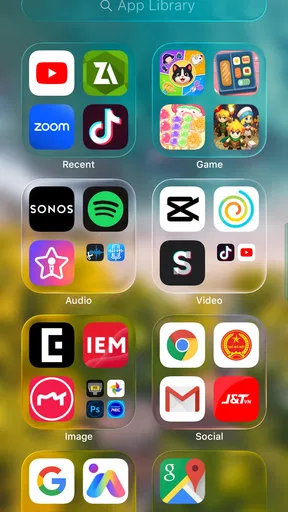
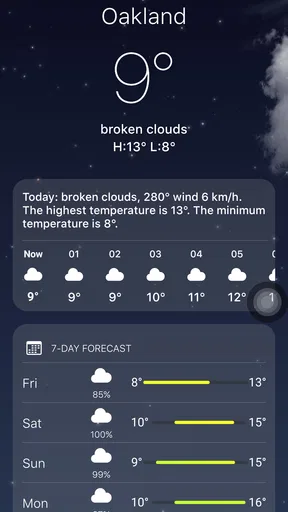
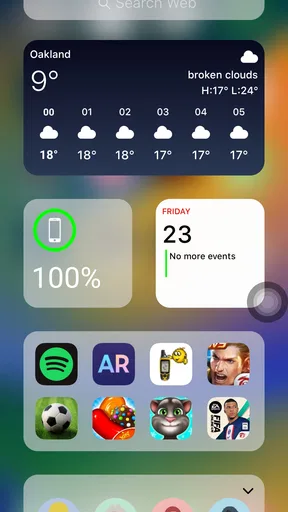
The user interface is where it feels most convincing. It mirrors the iOS style beautifully, with smooth transitions and a clean, organized layout. The icons are well designed, and the overall look is polished and professional. If you're a fan of minimalism, you’ll appreciate the uncluttered appearance.
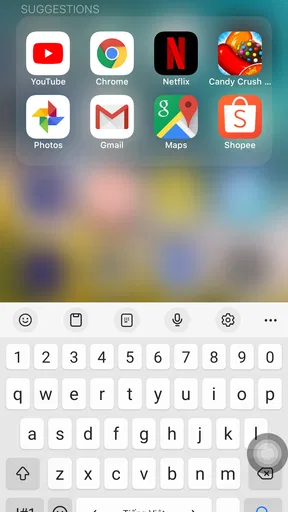
Swiping down gives you the iOS-like search bar, allowing you to quickly find apps or contacts. The Control Center is also just a swipe away, offering quick access to settings like Wi-Fi, Bluetooth, and screen brightness. It’s a small detail, but these touches make the Android experience feel fresh and new.
A realistic day: find, open, and hand off
Picture checking your phone between errands: I unlock it, tap a familiar-looking icon, then use the search gesture when the app I need is not on the first screen. That flow is where the launcher can save a little visual hunting. The search bar is useful when I have chosen a minimalist layout and do not want to keep every app in view; it gives me a second route instead of forcing me to undo the tidy arrangement.
The handoff is important, though. Once I open an app, I am using that app on Android, not an iOS version of it. The launcher makes the home screen feel more coherent, but it cannot make every app, notification, or system setting follow the same visual language. I would judge it by whether the home-screen routine becomes more comfortable, not by whether every screen matches.
Performance: Smooth Sailing
Now, let’s talk performance. I was pleasantly surprised by how smoothly it runs. There’s no noticeable lag when opening apps or navigating the interface, which is crucial for a launcher app. It feels lightweight, not bogging down your phone’s performance, which is often a concern with these types of apps.
Battery consumption is another aspect I was keeping an eye on. Thankfully, this launcher is pretty efficient. It doesn't drain your battery life, so you can enjoy the iOS feel without constantly reaching for your charger.
What changes—and what does not
Compared with leaving the phone’s default launcher in place, this is a more pronounced visual change: the iPhone-inspired arrangement is the main attraction, not a collection of unrelated productivity tools. Compared with other Android personalization options, it is a better fit for someone who wants an iOS-style starting point than for someone who wants to build a highly individual interface from scratch.
That preference has a trade-off. Android’s own launcher may be the better choice if its current layout already suits you, or if you rely on a manufacturer’s home-screen features. A more broadly customizable launcher may suit you better if fine-grained control matters more than the iOS look. I would not switch just because a different layout seems novel; I would switch if the new arrangement actually makes my everyday home screen easier or more pleasant to use.
Customization: Make It Your Own
One of the downsides of iOS is its lack of customization options compared to Android. However, it cleverly brings the best of both worlds. While it mimics the iOS interface, it also retains some of Android's flexibility. You can customize the app grid, change icon sizes, and even use third-party icon packs to personalize your experience further.
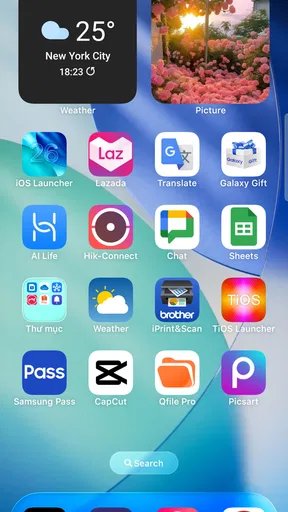
If you love widgets, you’ll be happy to know that they work seamlessly with this launcher. Weather, calendar, and clock widgets all integrate nicely, keeping your home screen both functional and stylish.
Practical checks before settling in
I would test the setup in stages rather than rebuilding the whole screen at once. First choose a wallpaper and a small set of frequently used apps; then adjust the grid and icon size until labels and taps feel comfortable. Only after that would I add widgets or hide less-used icons. This makes it easier to spot which choice improved the screen and which one made it harder to navigate.
Third-party icon packs can help unify the appearance, but visual consistency is not the same as usability. If a pack makes familiar apps harder to recognize, I would keep the default icons rather than pursue a perfectly matched theme. Likewise, a widget earns its place if it saves a step—such as checking a calendar at a glance—not simply because it fills a gap in the layout.
For someone who shares a phone with family or uses it for work, I would also make sure the most important apps remain straightforward to reach. A polished home screen should not turn routine tasks into a search exercise. The strongest arrangement is the one that looks intentional while still making calls, messages, navigation, and daily tools easy to find.
Where the flow can break
The makeover is most satisfying when I remember that it is a launcher, not a replacement for Android. Some people may find the difference between the iOS-like home screen and the Android screens inside apps distracting. Others may prefer their phone maker’s default launcher, especially if they already depend on its familiar organization or widgets.
There is also a personal adjustment period: icon placement, gestures, and search habits can feel unfamiliar at first. If you often reach for an app by muscle memory, changing the layout can briefly add friction. I would give the arrangement enough time for ordinary use, but I would not force myself to keep it if I start taking longer to do simple things.
For a quick decision, ask yourself what you want to change. If the answer is “the look and feel of my home screen,” this app is a reasonable experiment. If the answer is “make my Android phone function exactly like an iPhone,” it is the wrong tool. That expectation gap is the main reason I would recommend trying it with an open mind rather than treating it as a complete platform switch.
Who is likely to enjoy it
I can see it working especially well for an Android user who likes the visual order of iOS, wants to refresh an older-feeling home screen, or is curious about the iPhone layout before making a bigger device decision. It is also useful for someone who wants to hide rarely used pre-installed apps from the main view while keeping a familiar set of daily shortcuts close at hand.
I would skip it if you are already happy with your Android launcher, want deep control over every part of the interface, or expect Apple-specific services and system behavior. A person who values the phone’s current manufacturer features more than an iOS-like appearance may be better served by keeping the default setup. The right choice depends less on which style is objectively better and more on which one makes your own habits feel natural.
Current standing and final thoughts
It is free, rated for Everyone, and has a 4.6 average from around 264,000 ratings, with more than 10 million installs. Those figures suggest broad interest, but I would still treat the experience as personal: how well the layout works depends on your Android phone, your preferred gestures, and the way you organize apps. LuuTinh Developer’s current release is version 8.8.1, and it supports Android 5.0 and later.
So, is it worth a download? If you’re an Android user who loves the look and feel of iOS, then it is a fun, easy way to refresh your phone without making a permanent switch. The app is free to download, although there are some ads and in-app purchases if you want to unlock additional features.
Overall, it's a well-designed launcher that offers an impressive iOS simulation on Android. Whether you’re just curious or a die-hard Apple fan using Android, it provides a delightful experience. Go ahead, give it a try, and let your Android device strut its new iOS-style stuff!
Pros
- Smooth and intuitive user interface.
- Customizable widget options available.
- Efficient battery usage.
- Compatible with most Android devices.
- Frequent updates enhance functionality.
Cons
- Some ads can be intrusive.
- Limited free theme options.
- May slow down older devices.
- Occasional minor bugs.
- Requires permissions for full functionality.
FAQs for Launcher iOS 26
What is Launcher iOS 26 and how does it work?
Launcher iOS 26 is an app designed to transform your Android device's interface to resemble the latest iOS design. It provides a sleek, smooth experience, emulating the look and feel of an iPhone. The app adjusts icons, animations, and system themes to replicate iOS aesthetics, offering a fresh user experience.
Does Launcher iOS 26 affect the performance of my device?
While Launcher iOS 26 is designed to be lightweight, any launcher app can potentially affect device performance. Users may notice slight changes in speed or battery usage. It's recommended to have a device with decent processing power and RAM to ensure optimal performance without lag.
Is Launcher iOS 26 customizable?
Yes, Launcher iOS 26 offers several customization options. Users can tweak icon sizes, adjust grid layouts, and choose from various wallpapers. While it aims to mimic iOS, the app provides flexibility for personal preferences, allowing users to tailor their experience while maintaining the iOS aesthetic.
Are there any privacy concerns with using Launcher iOS 26?
Launcher iOS 26 requires certain permissions to function, such as access to your apps and phone settings. However, it should not access personal data without your consent. Always download from reputable sources and review permissions during installation to safeguard your privacy.
Is Launcher iOS 26 free to use, and are there in-app purchases?
Launcher iOS 26 is available for free, but it may include ads and in-app purchases. These purchases often provide additional features or remove ads. Users can enjoy the core functionality without spending money, but optional purchases enhance the experience by unlocking premium features.


